


Contents
- Start with an equivalent offer
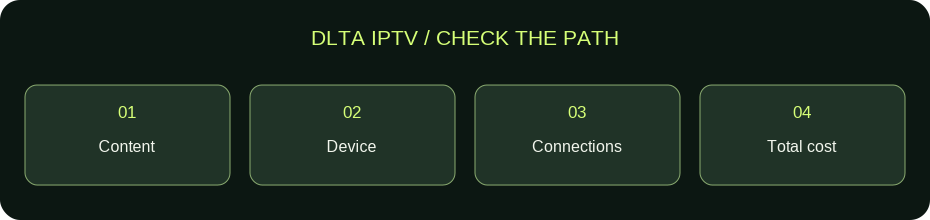
- Check 1 — confirm the content you actually need
- Check 2 — compare the exact device and player
- Check 3 — verify concurrent streams and account limits
- Check 4 — test picture, sound and controls fairly
- Check 5 — separate the local network from the source
- Check 6 — calculate the whole commitment
- Check 7 — review support and the written conditions
- Complete your decision sheet
- Practical questions
DLTA IPTV vs Strong IPTV: compare the specific packages, device requirements, permitted streams and whole-term cost before choosing. This guide explains seven checks and provides a decision sheet. It is published by the store, does not report independent performance tests, and does not claim that either service wins for every viewer.
Start with an equivalent offer
A useful comparison starts with two clearly identified offers. Write down the product name, subscription duration, currency, displayed total, permitted simultaneous streams and any separate player fee. The same brand can appear in different packages, so a statement about one account should not be transferred to another. Keep the current product link and the date you checked it. If the seller changes the offer before you pay, review the details again rather than treating an old screenshot as a promise.
This store sells DLTA4K plans and lists a Strong product, so this page is store guidance, not an independent review. We have not published a controlled benchmark of the two services. There is no verified channel-count comparison or measured winner here. The purpose is to help you obtain comparable answers and evaluate your own requirements. A missing answer is a reason to ask a question, not a reason to fill the gap with a favourable assumption.
For example, a short subscription for one concurrent device and a longer subscription with a different connection allowance are not equivalent just because both are labelled IPTV. Compare the allowance and the commitment separately. Record the conditions before making a decision; this will also make a later support conversation more precise.
Check 1 — confirm the content you actually need
Make a short list of essential channels, programmes, languages or functions. Ask whether those exact items are included in the specific account being offered now. A large total channel number does not answer whether your preferred item is available, whether it carries the required language, or whether it is accessible during your usual viewing period. Do not infer a broadcasting entitlement from a football fixture appearing on a results page.
For films and series, separate title availability from audio and subtitle availability. A title may have several versions, and the presence of a subtitle button in an app does not establish that a source supplies subtitles. If a programme guide, catch-up feature or replay is essential, ask about support in both the source and the player. These functions can depend on more than one part of the setup.
In a DLTA IPTV vs Strong IPTV comparison, use the same list for both offers and leave unanswered items marked “not confirmed”. If a permitted trial is available, test a small selection from that confirmed list. Do not turn success on one sample into a claim that the whole catalogue has been tested. Record what was available and what you checked, keeping account links and login details private.
Check 2 — compare the exact device and player
Write down the television or streaming-device model, operating system and player version. Brand names alone are not enough: two televisions from the same manufacturer can have different app availability and capabilities. Confirm the supported account format before installing or paying for an application. A player licence and a content subscription are separate purchases unless the offer explicitly states otherwise.
Check the complete viewing task, not just whether an app opens. On a television, test navigation with the remote, selection of an item, return to the list and access to the settings you will need. On a phone or tablet, consider the controls and the intended screen. Installing a mobile app on a television device does not automatically provide a comfortable remote-control interface.
A successful test on a different household device can be useful evidence, but it does not prove compatibility with your main screen. If you move the account between devices, respect the confirmed connection limit and close earlier sessions when required. Use the device guide centre to find the appropriate setup instructions. Do not buy extra hardware before identifying the part of the setup that is actually incompatible.
Check 3 — verify concurrent streams and account limits
Ask how many devices can play at the same time on each quoted package. The number of installed apps is not the same as the number of permitted streams. Also ask whether moving the account to a replacement device requires a particular procedure. Write the answer alongside the duration and total price, because a cheaper package may not meet the same household requirement.
When testing, begin with only the permitted sessions running. An old television session, a background player or another household viewer may affect the result. Close a session through the player when possible and allow the service to reflect the change before repeating the test. If the issue continues, tell support exactly which devices were active rather than repeatedly opening more sessions.
The basic DLTA4K plans displayed in this store state one concurrent device. Do not assume that the same allowance applies to every Strong offer or to another product with a similar name. Confirm the conditions on the exact product page. The device and connection-limit guide explains the distinction between installation, account migration and simultaneous playback.
Check 4 — test picture, sound and controls fairly
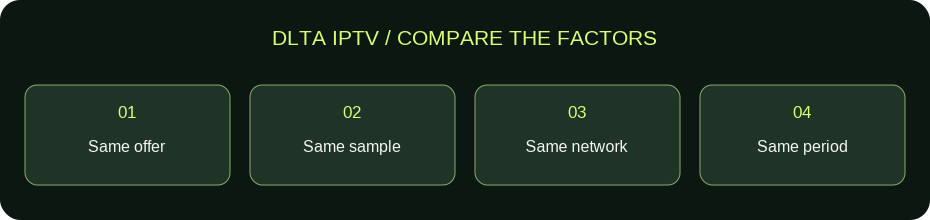
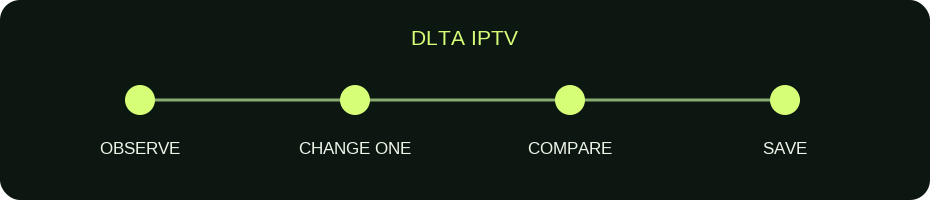
For DLTA IPTV vs Strong IPTV, compare equivalent samples on the same device, connection and viewing period. Record the source name and selected quality. If the two accounts do not provide the same item or quality, say so in your notes; the result is then a comparison of those available samples, not a controlled measurement of the underlying services.
Check whether playback starts, whether picture and sound continue together, and whether navigation remains responsive. A sharp-looking image does not establish that its original source is native 4K. The output setting on a television or streaming box is only one part of the display path. HDR, frame rate, audio format and resolution are separate characteristics, and support can vary by source and player.
If one sample fails, try another confirmed available item before changing settings. A working second item narrows the investigation, but it does not prove every source is working. If sound is present without a picture, follow the black-screen checks rather than assuming a faster internet plan is the answer. Save the working configuration before making further changes.
Check 5 — separate the local network from the source
A speed test on a phone beside the router may not represent the connection used by a television in another room. Test near the actual viewing device when practical, and record whether it uses Wi-Fi or Ethernet. Other downloads, updates, household activity and wireless conditions can change the available capacity. No single advertised internet speed guarantees every video source under every condition.
If the device supports a suitable wired connection, compare the same sample over cable and Wi-Fi while keeping the player and quality unchanged. If the result improves over cable, review local wireless coverage before buying a more expensive external internet plan. If the result does not change, that alone does not prove the network is faultless; it simply tells you what this comparison established.
For live events, distinguish playback interruptions from a steady delay behind the event or a separate results feed. Different delivery paths can arrive at different times. Do not describe a service as faster based on a scoreboard alone. The live-delay guide and Wi-Fi and cable comparison provide follow-up checks. Keep the recorded time and timezone so support can investigate the correct incident.
Check 6 — calculate the whole commitment
Compare the amount payable for the whole term, including a separate app licence or required accessory when applicable. Divide that total by the number of months only as a comparison aid. The result is an average, not evidence that the seller accepts monthly instalments. Check the currency, term, activation arrangements and renewal conditions before paying.
Here is a hypothetical calculation, not a current store price: an offer costing 30 units for three months averages 10 units per month. An offer costing 48 units for six months averages 8 units. If the second offer also requires a 6-unit player licence, its combined average becomes 9 units. The longer offer still commits more money initially, and the lower average does not answer compatibility or content questions.
Use the current plan comparison for today’s DLTA4K prices and the Strong six-month product page for that specific listed offer. These pages may describe different durations; do not present their totals as an equal-term price comparison. Confirm any unresolved inclusion with support rather than copying a figure from an older article.
Check 7 — review support and the written conditions
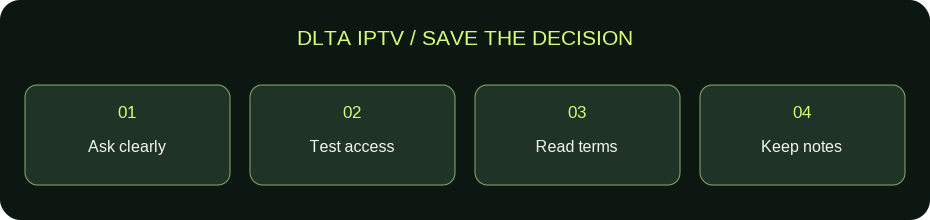
Ask where to request help, what information is needed and what activation timing applies to your order. A contact button does not establish an immediate response guarantee. Keep the order reference, the agreed device and the confirmation message. If you report a problem, include the player version, source tested, time, connection type and exact visible error while hiding credentials and private account URLs.
Read the current refund conditions before choosing a long term. Do not infer a pro-rata refund or automatic renewal from the duration of a subscription. The current store policy is the reference for purchases from this store; it should not be treated as the policy of every independent seller using the same service name. Ask about any unclear term before payment.
Support quality can be assessed through the relevance and clarity of the answer to your actual question, but one response is not a published service benchmark. Record the issue and the answer rather than declaring a universal winner. If you already have an account with a technical problem, use the troubleshooting assistant before buying a second subscription in the hope that it will resolve an unidentified local issue.
Complete your decision sheet
| Requirement | DLTA4K offer | Strong offer |
|---|---|---|
| Exact product and duration | Record the current product link and term. | Record the exact quoted product and term. |
| Required content and languages | Confirm specific items before payment. | Confirm the same specific items. |
| Device and player | Record the tested model and app version. | Use the same model where permitted. |
| Concurrent streams | Basic DLTA4K plans state one device. | Confirm the allowance for this offer. |
| Whole-term cost | Record total, currency and separate fees. | Record total, currency and separate fees. |
| Test result | Record sample, quality, time and result. | Record equivalent conditions and any differences. |
Mark every answer that still needs confirmation. If an essential requirement remains unanswered, you do not yet have enough information for that part of the decision. There is no need to give every row a numerical score or average unrelated features together. A single essential incompatibility can matter more than several optional functions.
Use this DLTA IPTV vs Strong IPTV sheet to explain your requirements when asking for the current offer. Prefer the package whose confirmed conditions fit your intended use and commitment. This article does not name a universal winner, promise uninterrupted playback or establish a verified channel count for either service.
Practical questions
Does buying a player activate the content account?
Not automatically. Confirm what the transaction includes and whether the application licence has a different duration from the content subscription. Keep both confirmations so a later expiry can be identified correctly.
Can a longer plan fix buffering?
Duration is a commercial term, not a technical diagnosis. Check the source, account sessions, player and connection before changing the commitment. A different duration should not be presented as a guarantee of higher picture quality or fewer interruptions.
What makes a comparison result useful?
A clearly identified sample, device, player, connection and time make a result easier to interpret. Record the differences between the tests. Do not label a result a benchmark when the conditions were not comparable.
Where can I check player functions?
Use the actual developer’s documentation for the player you chose. The official VideoLAN user documentation describes VLC functions; it does not certify either content account or establish compatibility with every device. For an order enquiry, review the buyer checklist and current product details first.