

Contents
- DLTA IPTV vs HULK IPTV: what is actually confirmed?
- Check 1 — identify the exact package and seller
- Check 2 — confirm your essential content
- Check 3 — separate content access from the player licence
- Check 4 — record a sample instead of declaring a winner
- Check 5 — verify account limits and the local connection
- Check 6 — compare the full commitment
- Check 7 — confirm support and keep a private record
- DLTA IPTV vs HULK IPTV: complete your evidence sheet
DLTA IPTV vs HULK IPTV: use seven checks to request comparable offers and record what is actually confirmed. This store guide covers content questions, compatible devices and players, simultaneous streams, whole-term cost and support. It does not claim independently measured superiority for either service.
DLTA IPTV vs HULK IPTV: what is actually confirmed?
DLTA IPTV and HULK IPTV are names you may encounter when comparing subscriptions. A service name does not identify a single unchanging package. This page does not have a verified supplier specification or a controlled performance test for every offer sold under those names. We therefore do not publish a channel total, infrastructure ranking or claim that one brand always delivers better video.
This article is published by the DLTA4K store. It is a practical buying guide, not an independent review. Identify the exact product from each seller and obtain answers to the same questions. Treat a missing specification as unconfirmed: it is not proof that a feature is absent, and it should not be turned into a favourable assumption about either service.
Keep the product link or written quote with the date, currency, duration and inclusions. If two offers carry the same brand name, compare their conditions instead of assuming they are interchangeable. The following checks distinguish confirmed answers from questions that still need attention.
Check 1 — identify the exact package and seller
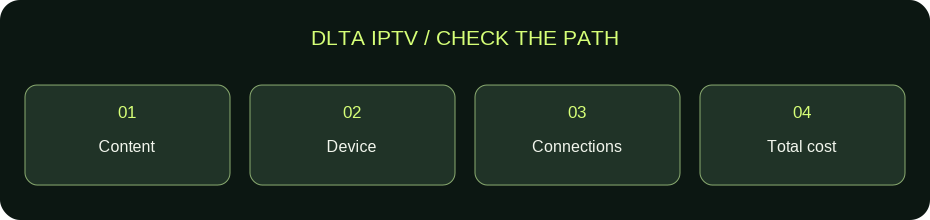
Ask for the product name, subscription term, permitted connections and final amount payable. Find out which seller handles activation and support for this purchase. Do not transfer the conditions of a product from another store merely because the service name looks the same. If a quote concerns renewal of an existing account, confirm that distinction too.
For a useful DLTA IPTV comparison, put the answers in two columns. “Several devices” can mean installation on several devices or simultaneous use; those are different conditions. “Player included” could refer to an app recommendation or a paid licence. Ask for the exact meaning before treating either phrase as a confirmed benefit.
Check the dates that apply after activation. Do not infer a cancellation or renewal arrangement from the length of a package. A screenshot of a price is only part of the offer; the device and account conditions need to be understood alongside it.
Check 2 — confirm your essential content
List the channels, programmes, languages or functions you need most. Ask each seller about those particular items in the package currently available. A catalogue total does not establish that your priorities are included. A category called sports or films is not a promise about a particular event or title. A fixtures page is not evidence that a match can be streamed.
For family use, confirm the language and age suitability of the material you intend to watch. Review parental controls in your actual player and check the content yourself. The presence of a kids category does not make every item suitable for every child. For films, ask about the exact title, version, audio and subtitles that matter to you.
If a programme guide or catch-up function is essential, confirm support in both the source and the app. The presence of a button is not enough. Leave unanswered items marked as unconfirmed instead of filling the gap with an assumption. Take the same list of questions to both sellers.
Check 3 — separate content access from the player licence
Record your device model, operating system and intended player. App availability can vary between models and software versions. Confirm that the account format supplied by the seller is supported by that player before paying for another app or accessory. Similar app names do not necessarily identify the same developer or licence.
Buying or activating a player does not automatically supply channels. A content subscription may not include a paid app licence. Ask what the quoted price covers and whether the two items have different expiry dates. Keep both confirmations so a later expiry can be traced to the correct item.
If you already have a compatible player, do not assume you must replace it to compare accounts. Use a permitted setup and respect the connection limit. Consult the device guides for setup follow-up. On a television, check remote navigation and return to the list as well as opening a video.
Check 4 — record a sample instead of declaring a winner
A 4K label is not a measurement of every source in an account. Ask about the item you plan to watch, then check the complete viewing path: source, player, device and display. A television reporting a 4K output signal does not establish the original detail of the video. HDR, frame rate and audio support are separate questions.
If a permitted trial is available, use your main device and normal connection. Record the sample, chosen quality, time and outcome. If the two offers do not provide comparable samples, record that limitation instead of declaring a technical winner. One short successful playback does not establish permanent stability across a whole library.
Try a second confirmed available source before changing many settings. If one fails and the other works, report that distinction. If sound plays without a picture, follow the picture troubleshooting guide. If playback continues but arrives behind another feed, consult the live-delay guide to distinguish delay from interruption.
Check 5 — verify account limits and the local connection
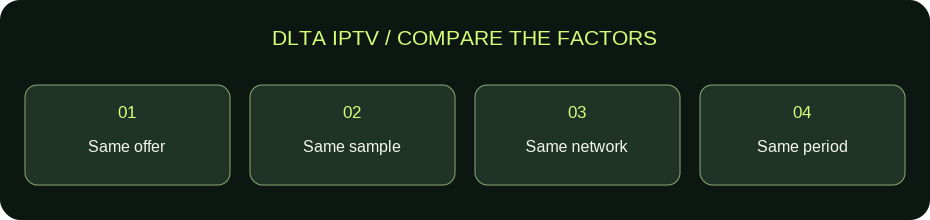
Ask how many simultaneous streams the exact package permits. Installing a player on several devices does not establish permission to run all of them together. Basic DLTA4K plans on this store state one concurrent device. Obtain the corresponding answer for the HULK offer you are considering instead of assuming the conditions match.
Before testing a replacement device, close earlier sessions when the account conditions require it. Record which devices were active if a problem continues. Repeatedly opening extra sessions can make the result harder to interpret. The account and device guide explains why installation and simultaneous playback should be recorded separately.
Distinguish your internet plan from the connection reaching the viewing device. A speed test near a router may not describe a distant television on Wi-Fi. Where supported, compare the same sample using a suitable cable without changing the player or quality. An improvement is evidence about that test, not a general performance ranking of either brand.
Check 6 — compare the full commitment
Record the full amount payable, currency, duration and separate player fee if one applies. A monthly equivalent helps compare different terms but does not imply monthly billing. For example, a hypothetical 36-unit three-month offer averages 12 units per month, while a hypothetical 60-unit six-month offer averages 10. These are teaching figures, not today’s store prices.
The lower average still involves a larger initial commitment. It does not confirm better content, additional connections or a suitable app. Include any required player fee in your own calculation. Compare offers with identified allowances rather than treating every package sold under a brand as equivalent.
Use the store comparison for current DLTA4K totals and durations. Obtain a current written quote for the particular HULK offer from its seller. Read the applicable conditions before paying. This store’s refund policy is not necessarily the policy of another seller or service.
Check 7 — confirm support and keep a private record
Ask about the contact route, activation arrangements and information needed for support. A WhatsApp button does not establish instant activation or a response-time guarantee. Keep the order reference and the agreed details. A precise answer to your compatibility question is more useful than a broad promise that everything works everywhere.
When reporting an issue, provide the device, player version, connection type, source name, time and exact error. Hide account credentials, private playlist links and activation codes. Note the single change you tested and its result. Do not publish secrets to obtain a second opinion.
If you already subscribe and have a problem, start with the troubleshooting assistant before purchasing another account to address an unidentified issue. If you are ready to choose, send the unresolved requirements to the seller. Preparing an enquiry is not a reservation, payment or confirmation that requested content is available.
DLTA IPTV vs HULK IPTV: complete your evidence sheet
| Question | What to record for each offer |
|---|---|
| Which package? | Exact product, seller, duration and date checked. |
| Which content? | Required items and languages explicitly confirmed. |
| Which setup? | Device model, player and any separate licence. |
| How many streams? | Permitted simultaneous playback for that account. |
| What commitment? | Whole-term amount, currency, fees and written conditions. |
| What was tested? | Sample, quality, connection, time, outcome and limitations. |
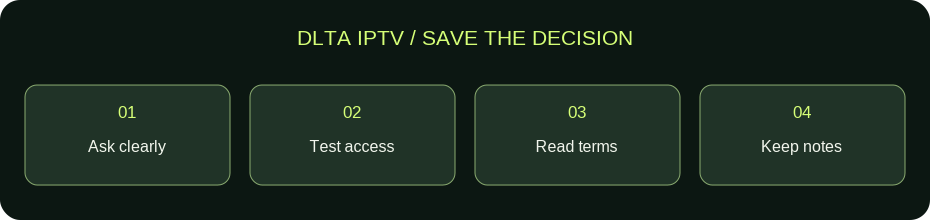
Choose on the basis of confirmed requirements, an acceptable commitment and any relevant test you were permitted to perform. An unanswered essential question remains a gap in the decision. This page does not establish a verified channel count, independent benchmark or universal winner for either service.
For player functions, consult the documentation for the software you actually use, such as the official VideoLAN user documentation. Player documentation does not certify a content account. Review the buyer checklist before requesting the current offer.